


Control AI in your company without slowing down your team
Edorteam DLP decides which AI tools can be used and blocks sensitive data before it reaches ChatGPT, Copilot, or Gemini.
 –✕
Las políticas de seguridad de tu organización no permiten esta acción.
Your employees are already using AI; the question is with what data
ChatGPT, Copilot, or Gemini have slipped into the daily routine of any office: writing emails, summarizing contracts, reviewing spreadsheets. Almost always without anyone authorizing it. This is known as shadow AI.
The risk is not the tool, but what is pasted into it: customer data, payroll, contracts, or code. Once sent, that data is out of your control and can lead to a security breach with GDPR consequences.
Edorteam DLP allows you to take advantage of AI with clear rules: which tools are used, who uses them, and what information must never leave the company.
How it works, in less than a second
01
The employee attaches or writes
A contract, a payroll, or a customer list in ChatGPT, Gemini, Claude, Copilot, or any other AI.
02
Edorteam DLP acts as a filter
Before anything leaves, it checks the text and attachments against your dictionaries and tags.
03
Blocks and explains why
If it detects protected data, it prevents the action, the user sees the reason, and the attempt is logged for the security officer.
Works with any AI, in the browser or its desktop app:
ChatGPTMicrosoft CopilotGeminiClaudeDeepSeekPerplexity
Use AI, but with security
AI Visibility and Control
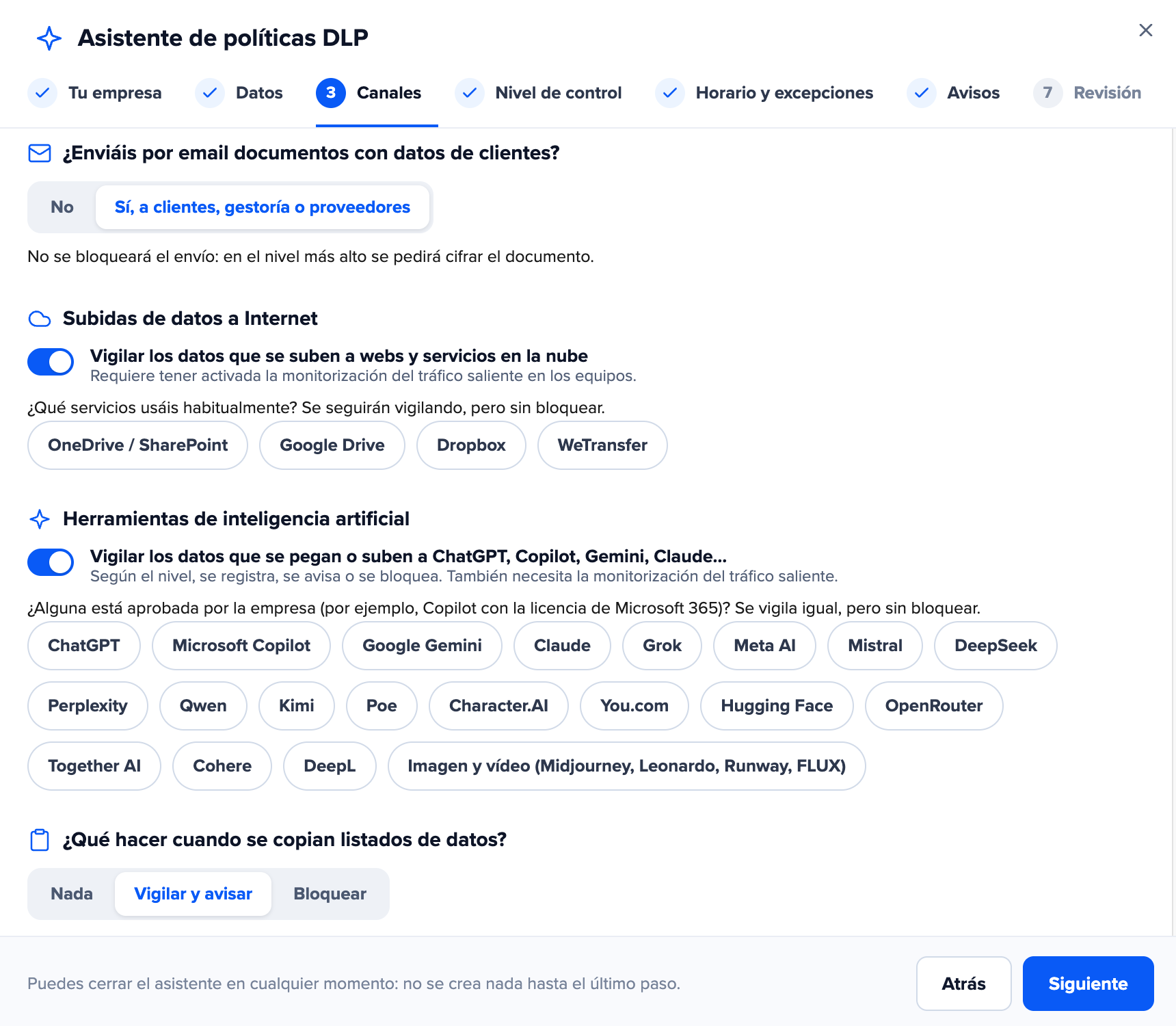
Discover which AI tools are being used in your company and decide which ones are allowed and for whom.
Sensitive data stays out of AI
Block ID numbers, IBANs, customer data, or confidential documents before the user clicks Send.
Demonstrable compliance
Log of every attempt and user alerts, ready for GDPR, ENS, and EU AI Act audits.
Decide which AI is used in your company
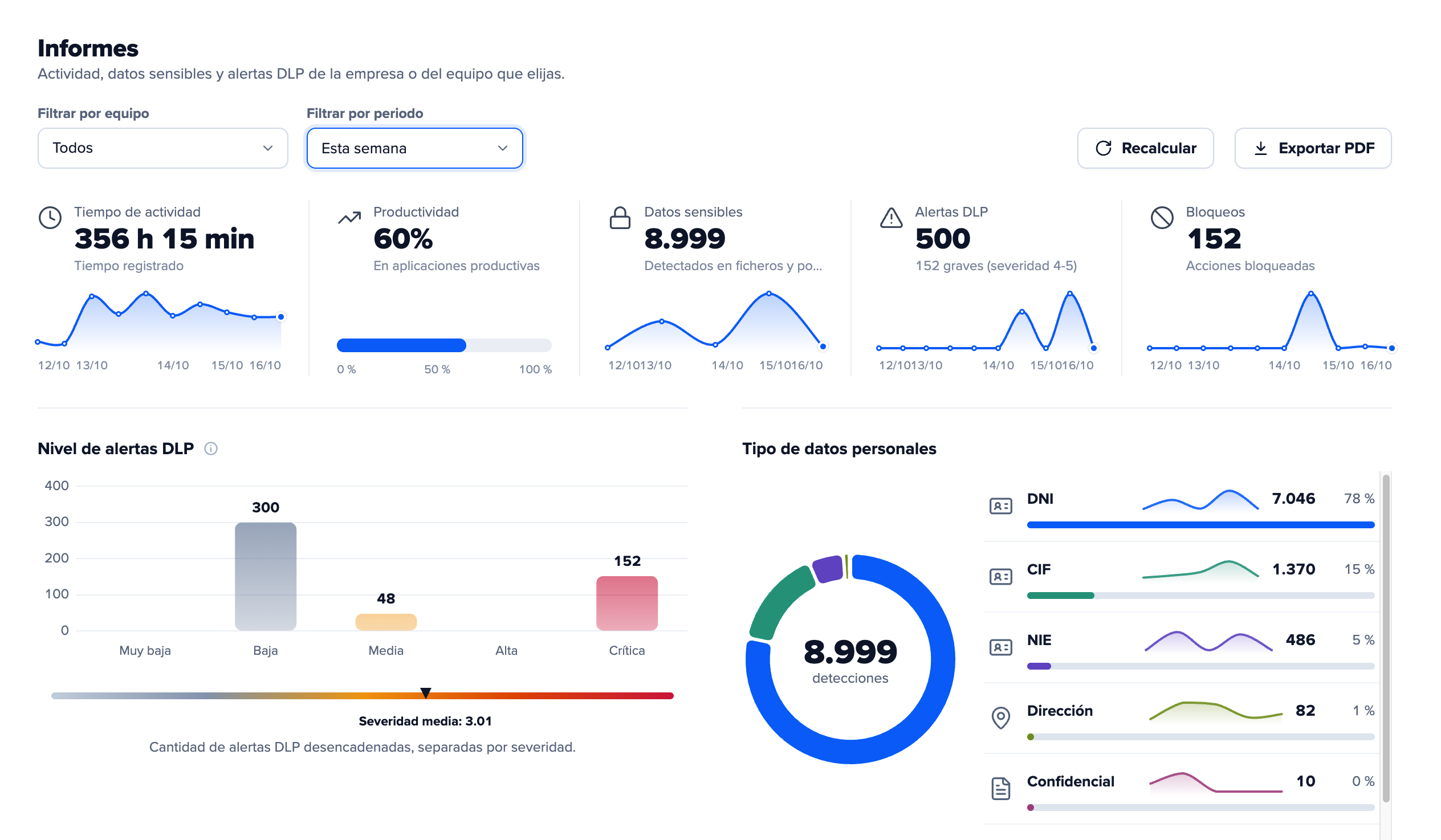
Edorteam DLP detects the use of generative AI tools, both in the browser and in their desktop applications. With that visibility, you define the rules.
- Allow corporate tools (e.g., Copilot) and block unauthorized ones.
- Apply different policies by department or team.
- Works with any browser, including incognito mode.
- Check which users use AI, with which tools, and how often.
Sensitive data never reaches the AI, not even when pasted into the text box
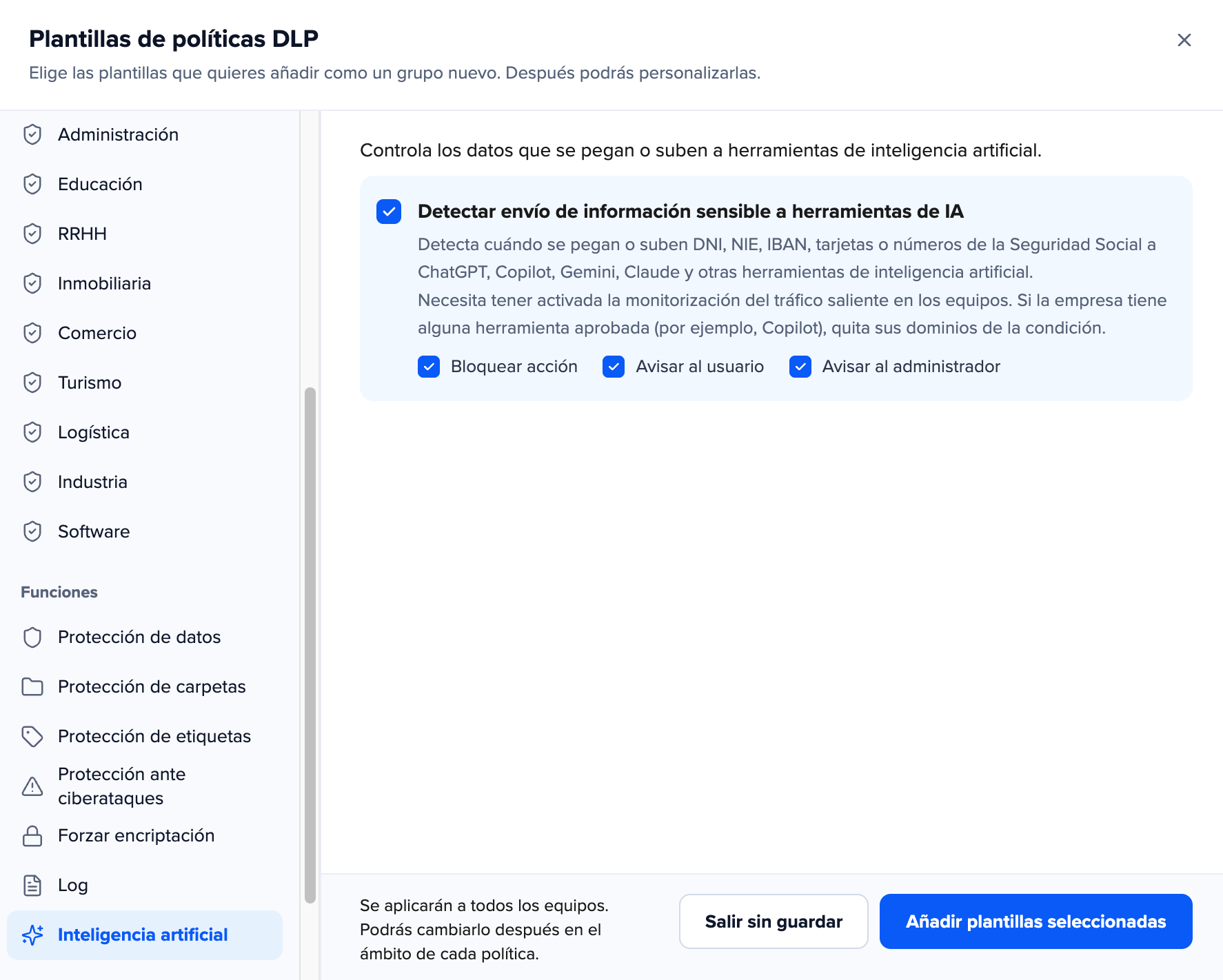
Edorteam DLP analyzes what the user writes or pastes into the AI text box. If it detects protected information, it blocks the action at that very moment, before Send is clicked. The AI model never gets to read it.
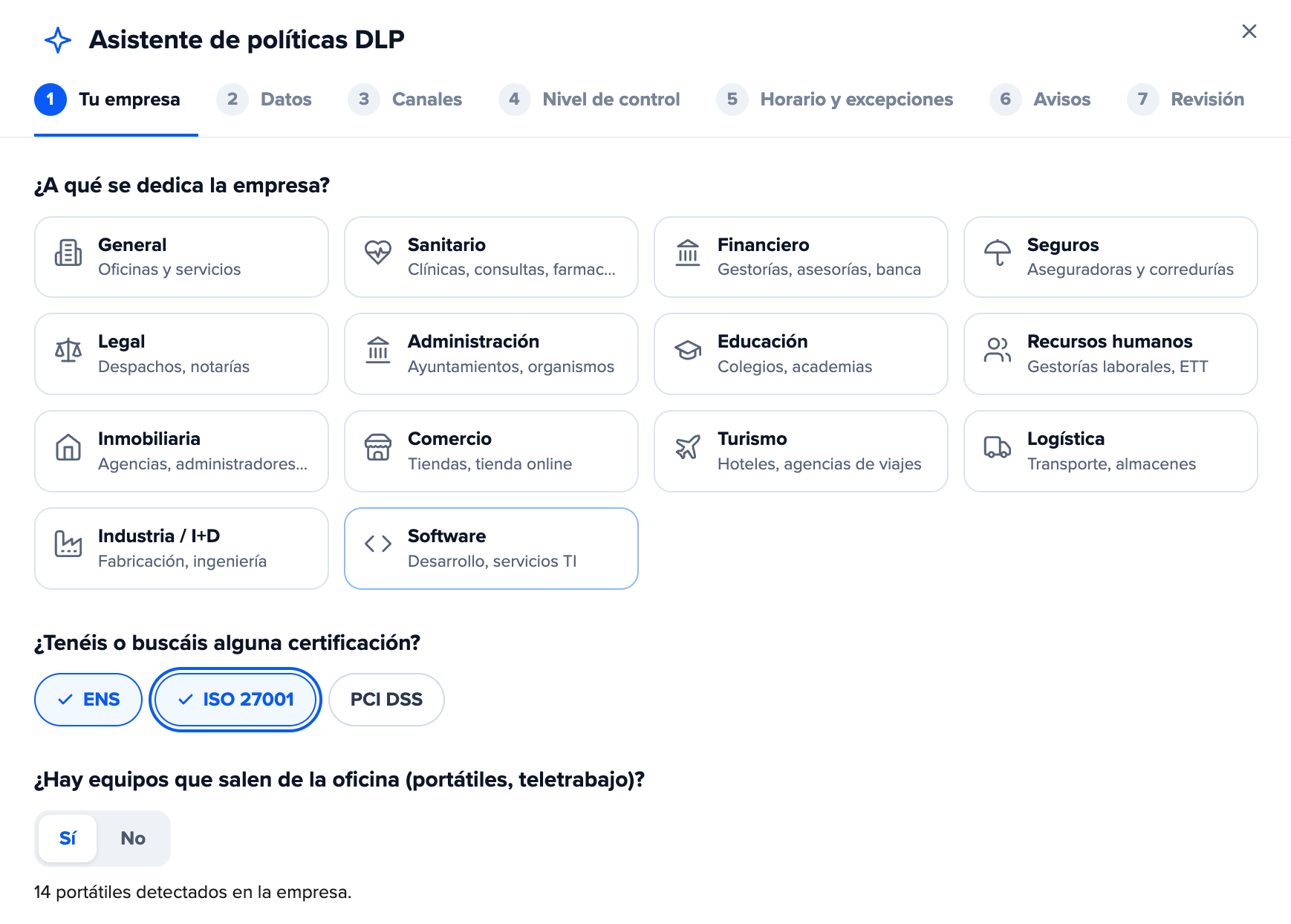
- Detects ID numbers, IBANs, credit cards, Social Security numbers, emails, and phone numbers.
- Custom dictionaries for your own data: customer codes, project references, confidential terms.
- An on-screen alert explains to the user why the action was blocked. This way, they learn without slowing down their work.
- Each attempt is logged in the console with the user, the device, and the detected data.
This is not a post-upload alert. It effectively stops data leaking.
Use AI and prove you comply
Pasting personal data into a public AI can be an unauthorized data transfer. Edorteam DLP helps you prevent it and demonstrate that you have technical measures in place to avoid it.
- GDPR: prevents personal data from leaving for external AI services and keeps a record of every attempt.
- ENS: includes policy templates for National Security Scheme requirements and audit reports ready to present.
- EU AI Act: supports your AI usage policy with real controls, and user alerts reinforce staff training.
Our clients say
Request your AI control demo
We’ll show you how Edorteam DLP blocks sensitive data in ChatGPT, Copilot, Gemini, and other AIs. And if you’re convinced, try it free for 30 days.
Your confidential documents, out of AI’s reach
It’s not just text that is controlled. Edorteam DLP also prevents uploading files that should not leave the company to an AI.
- Custom tags: mark documents as confidential and block them from being attached to any AI tool.
- Protected folders: files in a specific folder (e.g., on the server) cannot be moved, attached, or duplicated.
- AES-256 encryption for files leaving via the internet or on USB drives.
AI is just one more channel; protect them all
Edorteam DLP also controls file movement, USB drives, the clipboard, applications, and web browsing, with a single agent and a single console.

Frequently asked questions
Which AI tools can Edorteam DLP control?
Any generative AI used from a browser or its desktop application: ChatGPT, Copilot, Gemini, Claude, DeepSeek, Perplexity, and others.
Do I have to ban AI in my company?
No. You can allow the tools you choose and block only sensitive data. The staff continues to work with AI, but securely.
What happens when an employee tries to paste protected data?
The action is blocked before being sent, an alert appears explaining the reason, and the attempt is logged in the console.
What data is considered sensitive?
ID numbers, IBANs, credit cards, Social Security numbers, emails, or phone numbers, in addition to the dictionaries and tags you define for your company.
Does it work in incognito mode or with any browser?
Yes. Control does not depend on the browser or the browsing mode.
Can different rules be applied by department?
Yes. Policies are assigned by team or by department.
Does it help me comply with GDPR and ENS?
Yes. It prevents personal data leaks to external services, logs every attempt, and includes policy templates and audit reports for the ENS.