


Data loss is silent,
until it isn't


Cybersecurity is not just for external threats: more than 50% of security breaches originate within the corporate network.
What is Edorteam's DLP software?

Monitor
Total vision and control: facilitates cybersecurity management.

Detect
Stops information theft and accidental data breaches in time.

Respond
Schedule preventive actions and ensure regulatory compliance.
What if confidential information from your business was being leaked without you realizing it? Customer data, trade secrets, intellectual property, financial information, and employee documents could be in the hands of unauthorized third parties right now. And hackers are not the only ones responsible: according to the AEPD, most security breaches have an internal origin.
Data loss, whether accidental or malicious, occurs through work tools such as email, instant messaging, USB drives, or cloud applications, and carries significant operating costs and administrative penalties that can amount to millions of euros.
An employee attaches a file with a customer's personal data and sends it to the wrong recipient by mistake.
An employee falls for a phishing attempt and unknowingly reveals critical credentials for the company.
An employee steals information confidential on a removable USB device because they are unhappy at the company.
An employee downloads unauthorized applications on their work device, thus introducing malware into the corporate network.
Edorteam DLP use cases, tips in 2 minutes
Avoid security breaches via USB devices
Avoid data leaks to ChatGPT, Gemini and other AI
Avoid human errors when sending emails
Minimize and stop a ransomware attack in time
30-day-free trial
Explain your company's requirements and get a free, personalized demo so you can try our DLP software for 30 days with no obligation.
Monitor
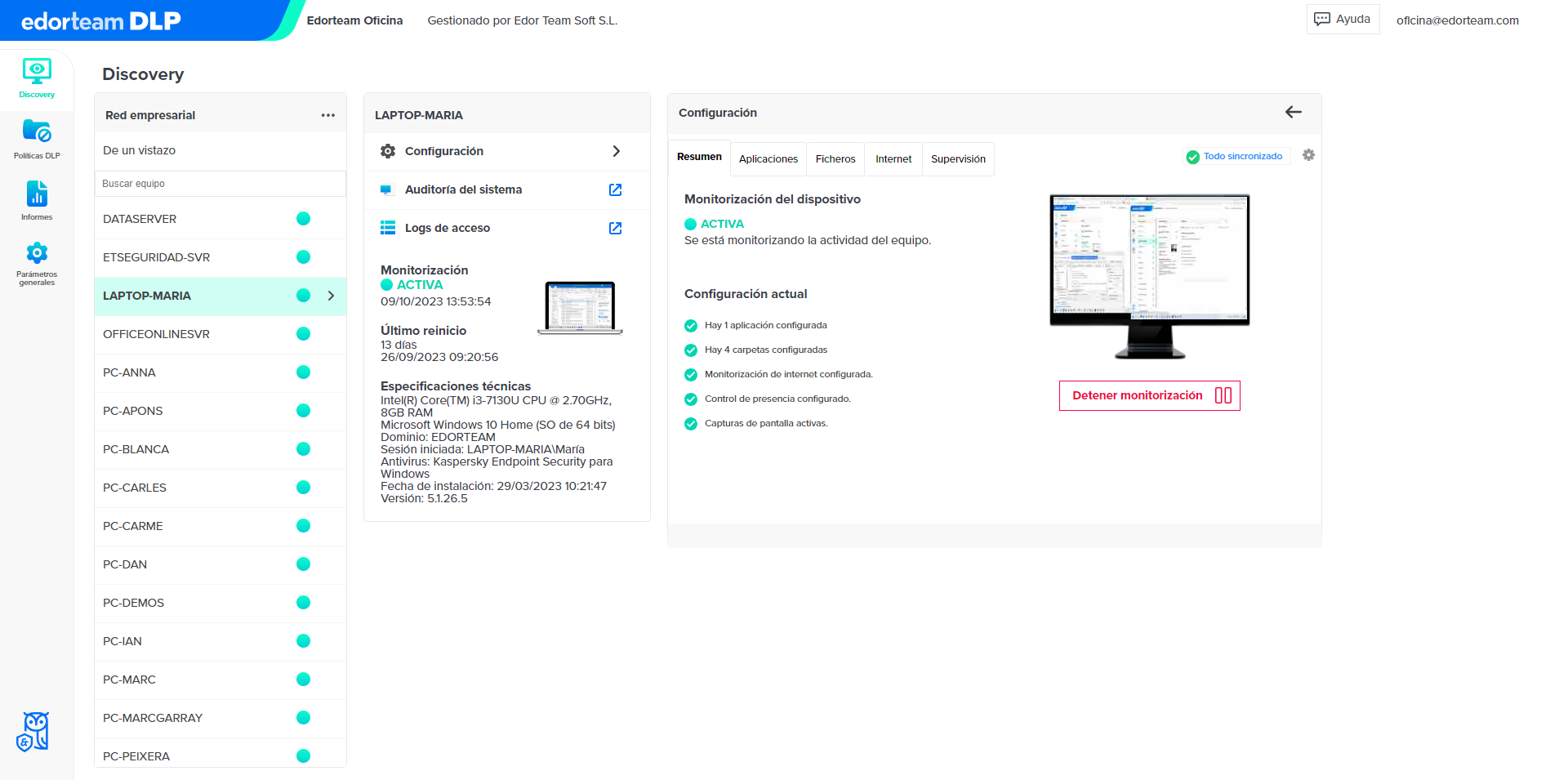
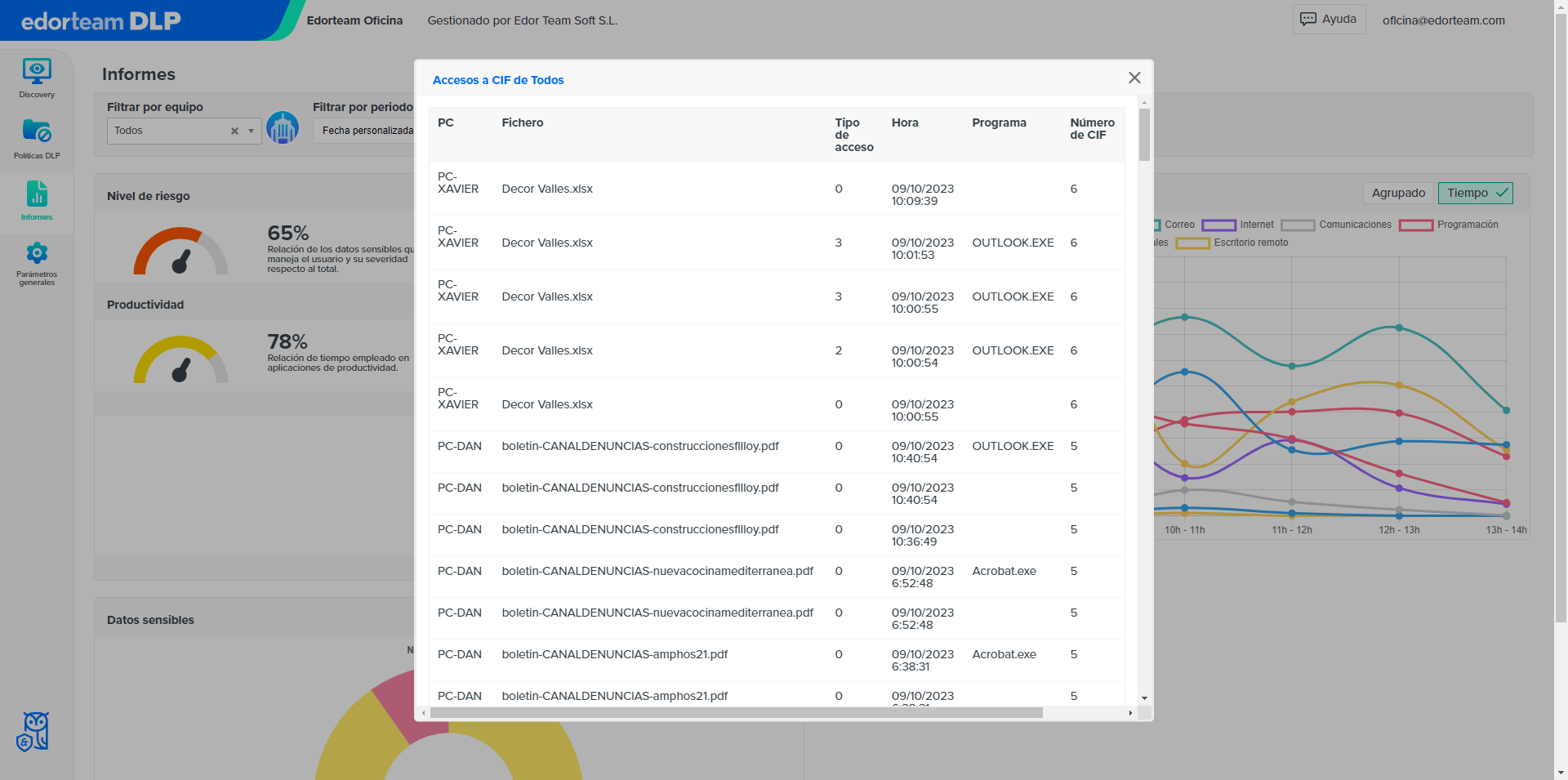
Records who accesses, creates, deletes, or modifies files at all times
Monitors internet browsing, also in private mode
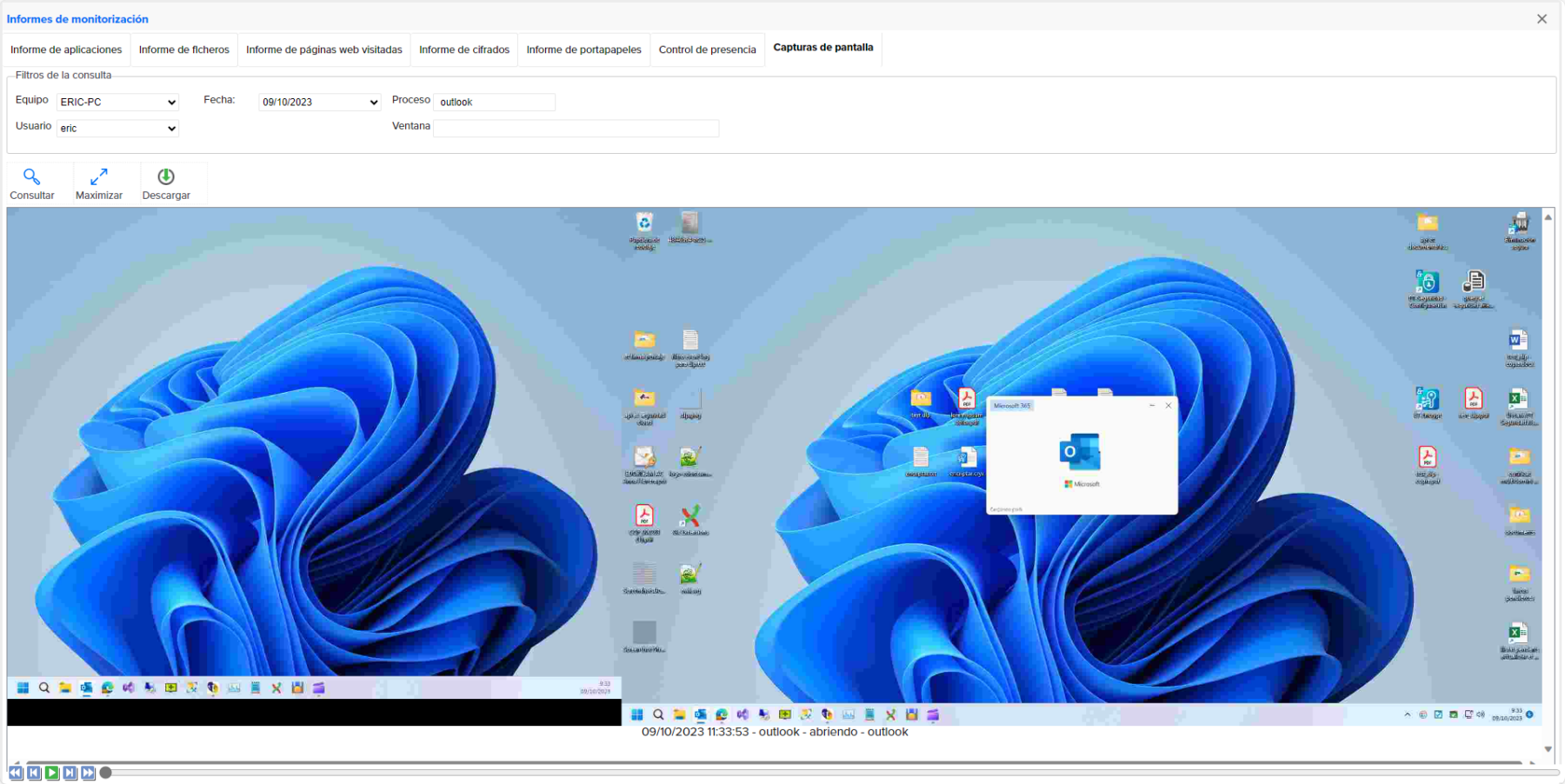
Schedule periodic screenshots
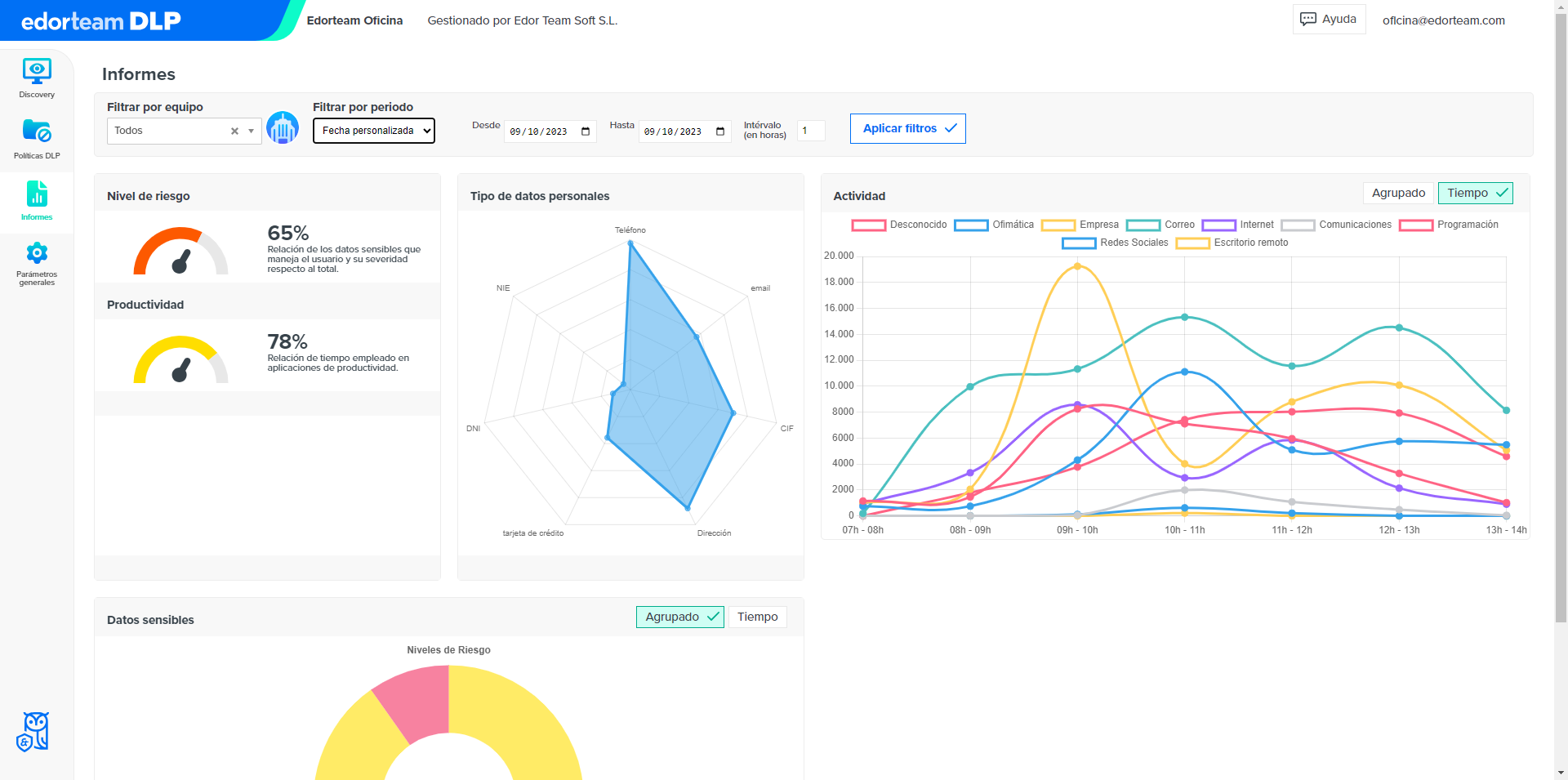
Calculates the usage time of applications and the absence of activity
Get statistical reports by user, department, and applications
Detect
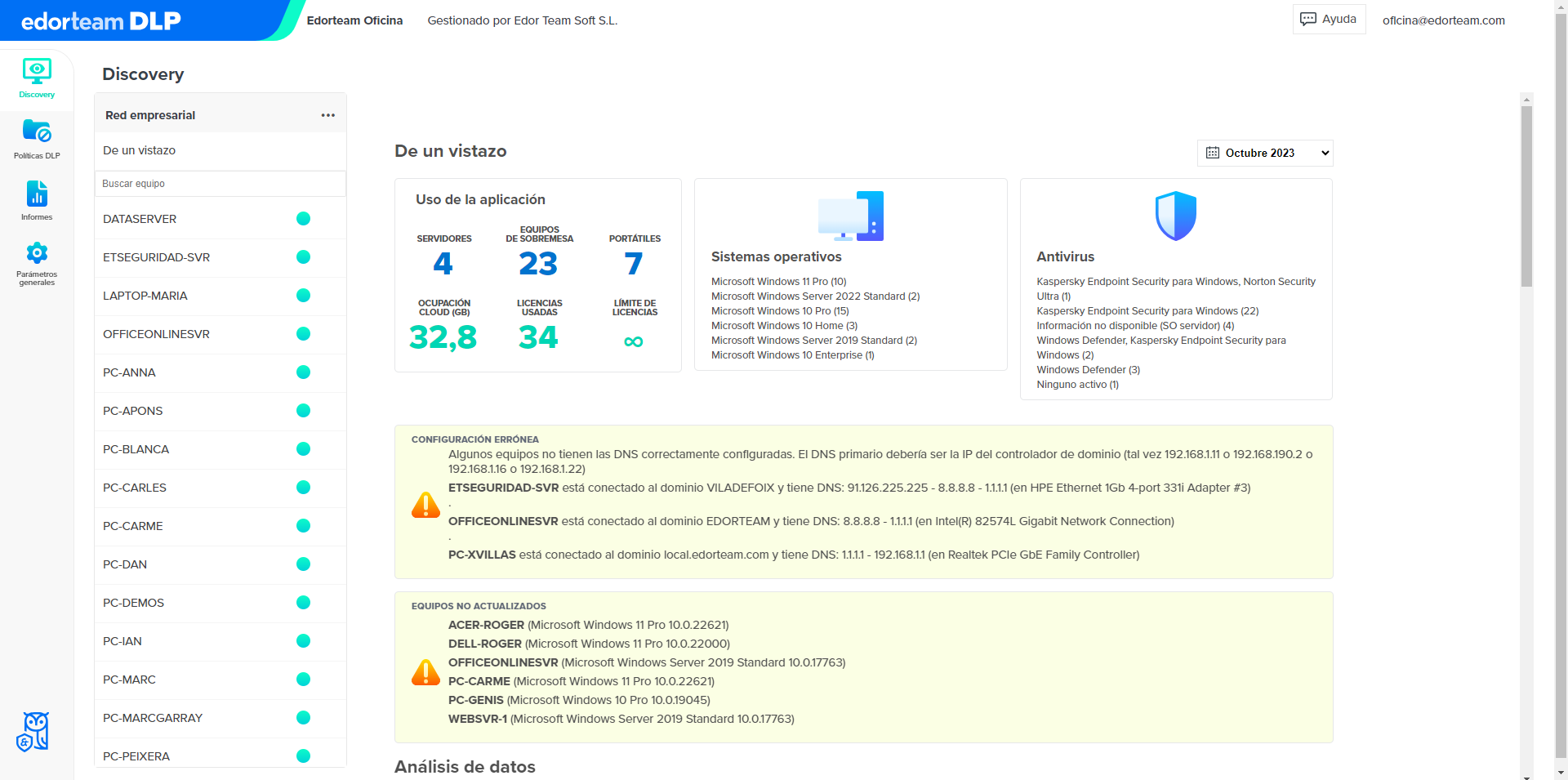
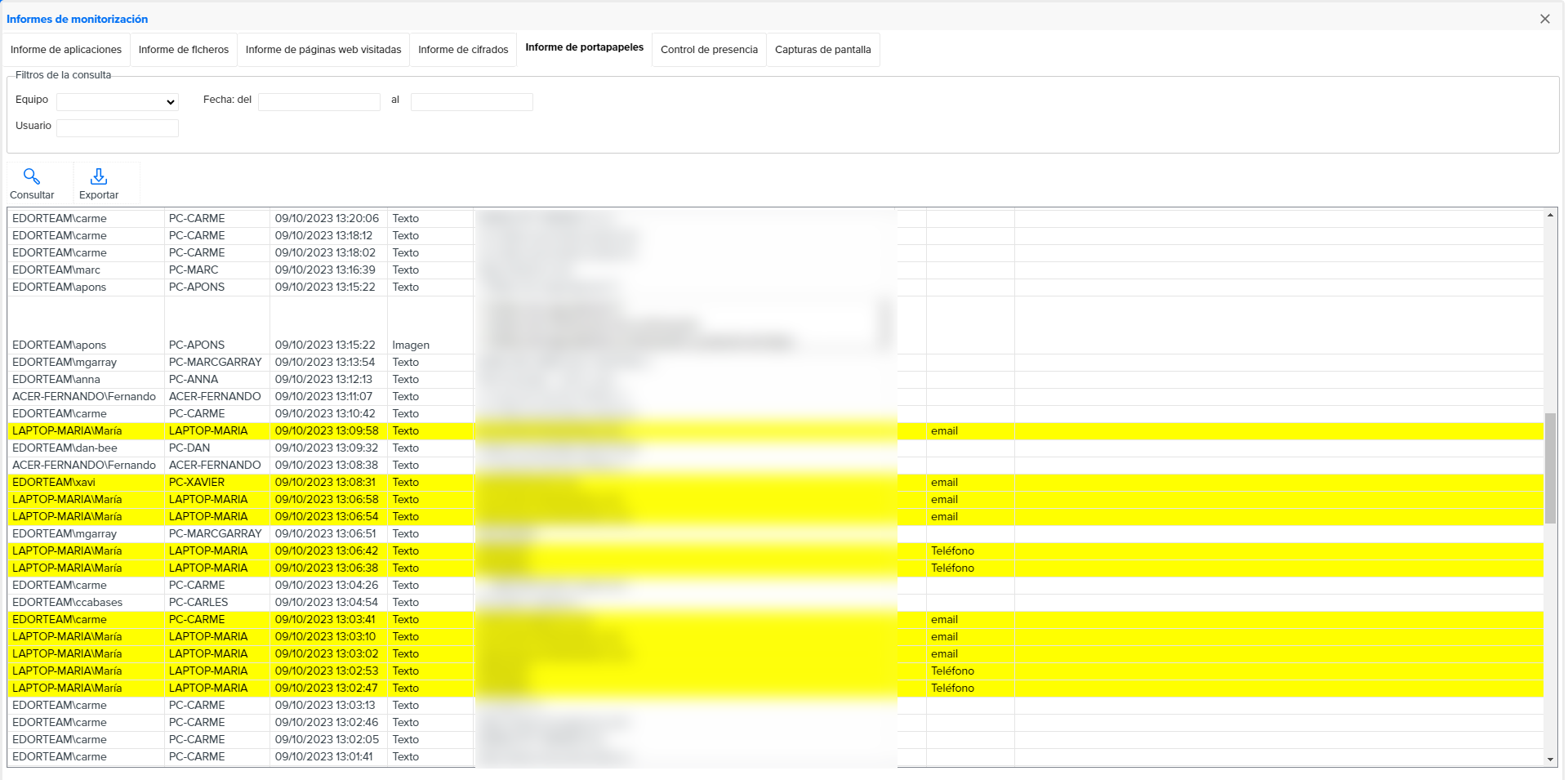
Identifies and classifies files containing sensitive data on any computer
Set passwords to open certain programs or files
Detects files transferred to removable storage units
Review, at a glance, if there are computers without updating and other incidents
Respond
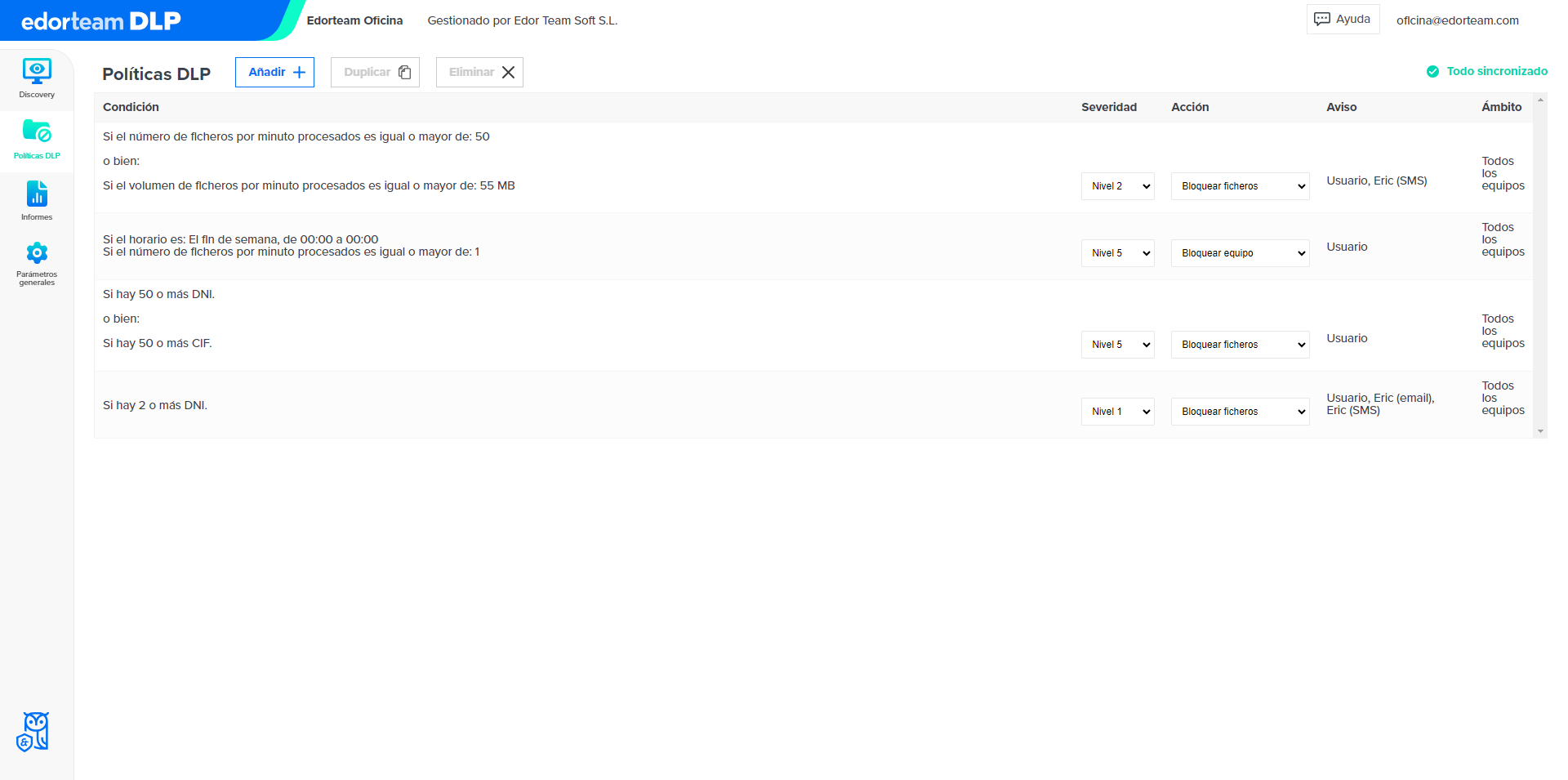
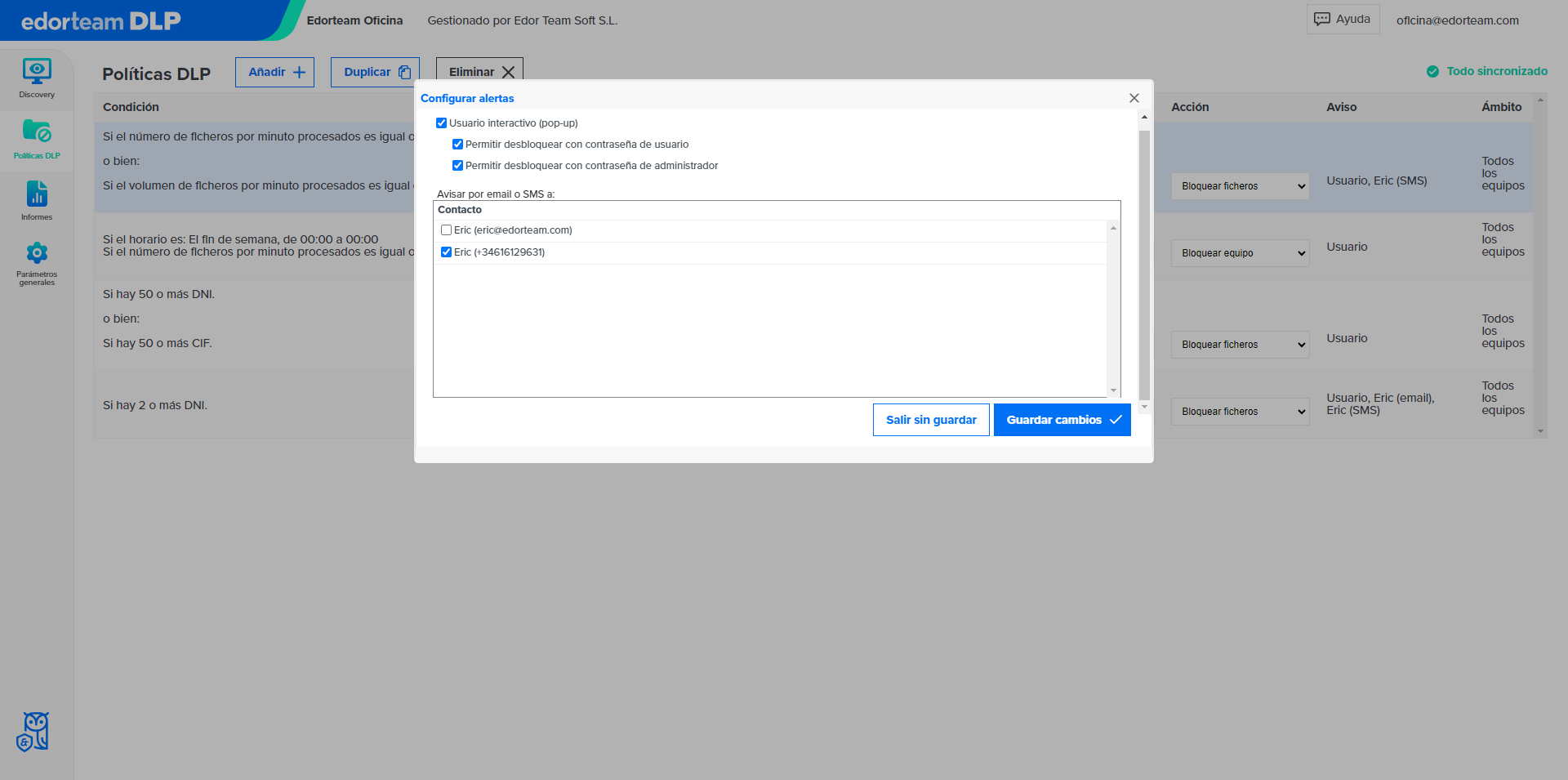
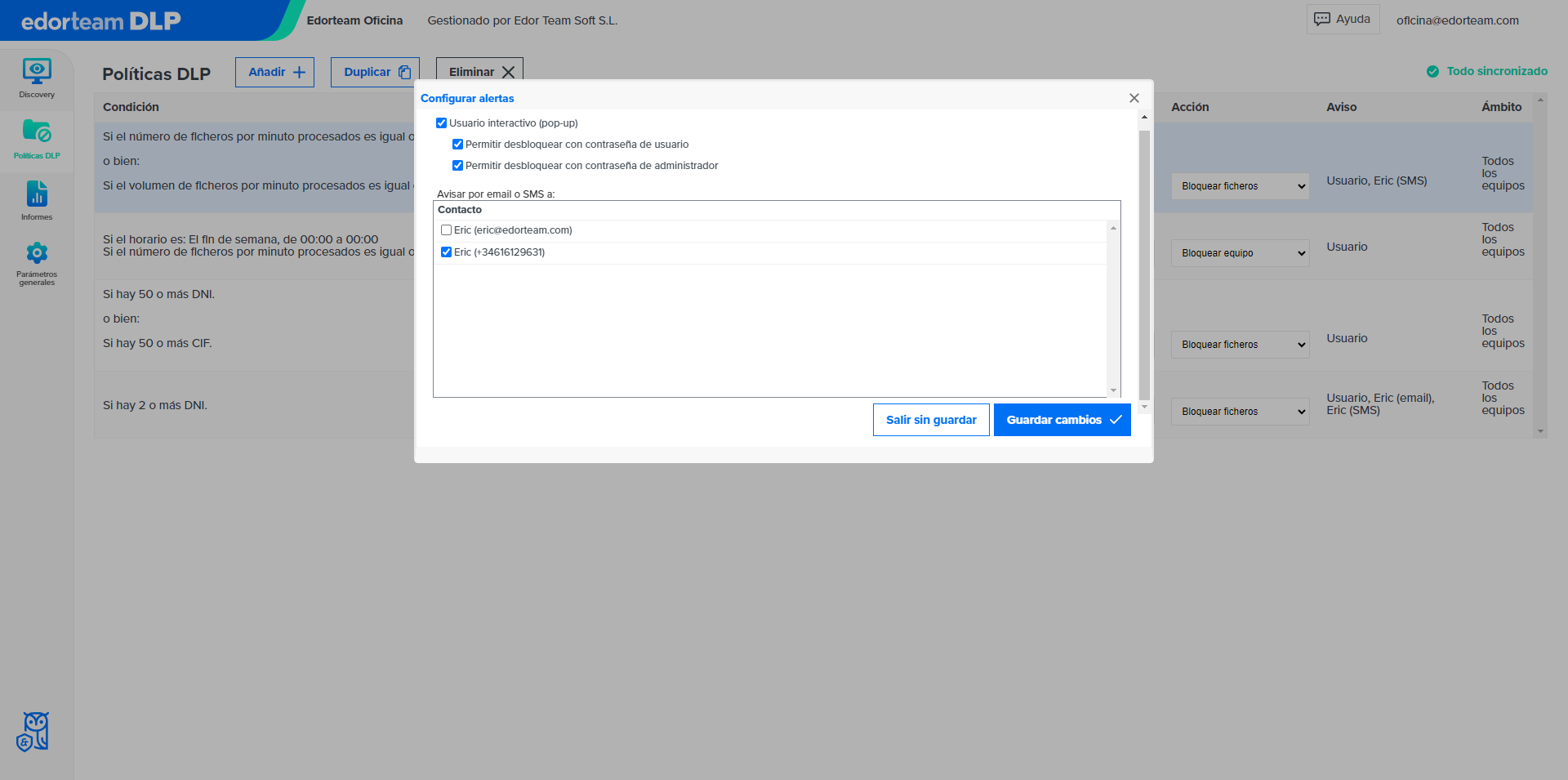
Alerts the user that they are handling sensitive information
Blocks access to sensitive information in the event of certain configurable events
Receive e-mail and/or SMS notifications in the event of certain configurable events
Make decisions from the cloud, inside or outside the corporate network
Edorteam DLP includes Edorteam Encrypt
Why Edorteam?
- More than 30 years of experience.
- Specialists in cybersecurity, data protection, and compliance.
- The only DLP developed in Spain and Spanish technical support.
- Complies with the Spanish data protection law (LOPDGDD).
Contact us
- Phone: 973 248 601
- Email: info@edorteam.com
Opinions about Edorteam from Trustpilot
Detect and control any security breach
We analyze the incidents that can cause a data security breach. Download this e-book and discover how to avoid them.
The app includes Edorteam Encrypt
With Edorteam Encrypt you will easily encrypt all types of files with a virtually impenetrable algorithm, also to send encrypted information by email.
What are the advantages of our DLP (Data Loss Prevention) software?
Key advantages
Control the flow of information within the organization.
Avoid accidental data leaks.
Act against theft and other malicious acts.
Minimize the consequences of a ransomware attack.
Agile deployment and effortless management.
Centralized administration: from cloud to devices.
And if you prefer, also available on premise.
Benefits for your company
Reduce security breaches in the organization.
Protect your intellectual property and digital assets.
Anticipate threats with proactive protection measures.
Comply with cybersecurity regulations and standards.
Train your team in the treatment of sensitive data.
Be more efficient in IT governance.
Save time and reduce operating costs.
This advanced data leak prevention program is presented as an indispensable tool in an increasingly connected world, where threats evolve at a dizzying pace. With online DLP, organizations have access to a robust and adaptable system, capable of guaranteeing information security at any time and place, providing data leak prevention without precedent. By choosing a leading DLP company, organizations ensure not only compliance with current regulations, but also preparedness for future standards and challenges.
Our company is positioned at the forefront of innovation in data leak prevention, offering a DLP data leak prevention program that integrates the latest in technology and constant updates to proactively address the digital dangers of tomorrow. By adopting our online DLP solution, the company will be taking a crucial step towards the comprehensive security of its most valuable assets, with the confidence and support of experts in the field of cybersecurity.



Data protection companies face the constant challenge of safeguarding sensitive and confidential information, both from their internal operations and from their customers' data. This is where a DLP data leak prevention (Data Loss Prevention) system becomes critically important, being a key piece in the company's cybersecurity strategy.
Our data leak prevention software offers a comprehensive solution to address these threats, equipping companies with the necessary tools to prevent information leakage. Through IT security DLP technology, we provide organizations with the ability to detect, monitor, and protect data at all critical points: in use, in motion, and at rest.
Frequently asked questions
What is DLP software?
Also, a cybersecurity tool that helps prevent the leakage of confidential data within an organization. This data loss prevention software monitors, detects, and blocks any unauthorized attempt to access, transfer, or copy critical information, ensuring that personal and corporate data is kept secure.
How does DLP software work?
- Activity Monitoring: Constantly monitors user activity on the network, on mobile devices, and in cloud storage systems to identify actions that may put data security at risk.
- Pattern Detection: Uses algorithms and predefined rules to detect patterns of behavior that could indicate a data leak. For example, it can identify the sending of confidential data by email or its uploading to cloud storage services.
- Policy Enforcement: Allows organizations to define custom security policies that determine how confidential data should be handled. These policies may include restrictions on access, transfer, or use of sensitive data.
- Prevention Actions: When an activity that violates security policies is detected, the DLP software can take preventive measures, such as blocking data transfer, notifying administrators, or logging the activity for later review.
- User Education: Often, DLP software includes awareness and training components to educate users about security policies and best practices.
In summary, DLP software is a crucial tool in the protection of confidential data and in compliance with privacy and security regulations. It helps organizations prevent information leaks, minimize risks, and ensure that their most valuable information remains secure and in authorized hands.
What are the benefits of implementing DLP software in my company?
- Improve productivity by identifying and addressing non-work or inefficient activities.
- Prevent misuse of resources and protect intellectual property.
- Detect security threats, such as unauthorized access to confidential information.
- Evaluate individual and team performance to make informed decisions.
- Comply with legal and regulatory requirements for privacy and security.
How to choose the most suitable DLP solution for my company?
- Security functionalities, such as encryption, access control, and audits.
- Compliance with applicable data protection regulations, such as the GDPR.
- Easy-to-use interface compatible with existing systems.
- Frequent updates and technical support.
- Security assessments and reviews by experts in the field.
- Remember that it is important to evaluate the specific needs of your organization and look for solutions that adapt to your particular requirements.
- Compliance with regulations and legal requirements.
- Reduction of costs associated with paper document management.
- More informed decision-making based on accurate and up-to-date data.
Should I inform users?
- Workers' Statute: art. 20.3 allows the “employer to adopt the measures it deems most appropriate for monitoring and control to verify the worker's compliance with their labor obligations and duties, taking due consideration of their human dignity in its adoption and application, and taking into account the real capacity of diminished workers, if applicable.”
The business organizational powers are limited and conditioned by the rights of the worker, being obliged to respect them. In order for the organization to be able to control the use of the computer without violating the right to privacy, it not only has to establish the instructions for use. In addition, it should be noted of the controls that the company is going to carry out to control this use. It is not enough, then, for the employer to validly establish an absolute prohibition of private use of the company's means. It must give notice of the controls and procedures that are going to be used to know the use that the worker gives to the computer (in this case, monitoring and access control software).
"If a monitoring software is installed, it must be communicated reliably"
As long as there is no business regulation or a "code of conduct" regarding the use of computers and Internet access by workers, (and not be communicated to the workers in a reliable way ) there can be no breach of contractual good faith (for the mere non-harmful use). Nor can the employer exercise controls and records on the computers of the workers. The reason is that they are protected by the right to privacy as a consequence of the doctrine established by the ECHR of April 3, 2007 (ECHR 2007.23) (Copland Case). Furthermore, the privacy guarantee is not restricted to email. It also extends to the worker's personal files as well as temporary files. These are copies that are automatically saved on the hard drive of the places visited on the Internet. These files may contain sensitive data regarding the privacy of the worker, insofar as they can incorporate revealing information on private aspects (ideology, sexual orientation, personal interests, etc.).
- RLOPD (Royal Decree 1720/2007, of December 21, approving the regulatory development of Organic Law 03/2018, of December 5, on the protection of personal data and guarantee of digital rights). The art. 89.2 states that "The staff must understand in an understandable way the security regulations that affect the performance of their duties, as well as the consequences that could be incurred in the event of non-compliance."
How to inform users about monitoring software?
The simplest way for the employer is to proceed to communicate reliably to the workers of the organization about:
- The permitted uses of computers.
- Internet access permissions, as well as the mechanisms that will be implemented for their control, (also available with the monitoring software).
In this way, if these technologies are used for private purposes contrary to these guidelines or prohibitions, and with knowledge of the applicable controls and measures, it will not be understood that the control has violated "a reasonable expectation of privacy".
Can I carry out a time control?
Do I have to limit access control to certain data and functions of the equipment?
Is it necessary to define user profiles?
- 91.3 of the RLOPD: Requirement of the establishment of " mechanisms to prevent a user from accessing resources with rights other than those authorized . "
- 93.1 of the RLOPD: Mandatory nature of the "Adoption of the measures that guarantee the correct identification and authentication of the users" regardless of the level of security of the data that you are going to use and process.
- 93.2 of the RLOPD: Requirement of the establishment of "A mechanism that allows the unequivocal and personalized identification of all those users who try to access the information system and the verification that they are authorized."
- 31 bis of the Penal Code (approved in Organic Law 1/2015, of March 30). In order to avoid criminal liability of the company for possible crimes committed by its directors, employees and collaborators, the implementation of organization and management models that seek the exemption / mitigation of criminal liability of the company and its directors is foreseen . The risk, today, that a legal person may be involved in a crime against privacy or computer intrusion (art. 197 of the Penal Code) is so great that restrictive and security measures must be imposed with maximum zeal. Obviously, the technical degree of this risk will involve independent technical advice from IT specialists, engineers or qualified personnel.
What type of passwords should I define?
- 93.2 of the RLOPD: Unique passwords will be defined for each user so that "Allow the unequivocal and personalized identification of all users who try to access the information system and verify that they are authorized."
- 93.3 of the RLOPD: The storage of passwords must guarantee "Your confidentiality and integrity."
Can I manage the passwords?
- Minimum password length.
- Minimum and maximum validity of the password.
- Password history.
- Blocking threshold.
- Duration of the blockade.
This configuration complies with:
- 93.4 of the RLOPD: The periodicity of password renewal "In no case will it exceed one year."
- 98 of the RLOPD: From the treatment of data considered of medium level, the establishment of "A mechanism that limits the possibility of repeatedly attempting unauthorized access to the information system."
Is it possible to control Internet browsing?
Can I monitor user access to system resources?
For how long can I store access logs?
What use are the screenshots for me?
How can I check the registered information?
Do I have an analysis tool or service?
Why should I encrypt the data?
- 92.3 of the RLOPD: In the transfer or sending of documentation "Measures will be adopted to prevent the theft, loss or improper access to information during its transportation."
- 101.2 of the RLOPD: The distribution of media containing high-level personal data "It will be done by encrypting said data."
- 104 of the RLOPD: The transmission of high-level personal data through public networks or wireless electronic communications networks "It will be done by encrypting said data."
When should my users use the encryption tool?
- Folder Encryption / Decryption: Encrypts / decrypts the contents of an entire folder.
- File encryption / decryption: encrypt / decrypt file content with online decryption option (at no cost to recipient).
- Creation of secure folder: automatic encryption of the files contained in the secure folder for private use by the user.
Converting from removable device (connected by USB) to secure device: the encryption application allows the creation of the secure folder on the external device with automatic encryption of the files contained in it for the safe transfer of the device.
What to consider when choosing DLP software?
Is DLP software necessary for small businesses?
Implementing our Data Loss Prevention software provides a solid defense against internal and external threats, helping to protect business continuity.